Information and guidance
The website organizes access destinations and explains general account, mobile and troubleshooting steps.

Understand the scope of mayonjl.net, the information provided here and the separate conditions of external services.
The website organizes access destinations and explains general account, mobile and troubleshooting steps.
External websites and applications determine their own eligibility, account requirements and service conditions.
Check addresses, review permissions and keep passwords and verification codes within their intended processes.
These terms concern use of the public information pages at mayonjl.net. The website brings together listed access destinations and guides about login, registration, mobile installation and troubleshooting.
The website’s explanatory pages do not create external accounts, approve registrations, process password recovery or determine account restrictions. Those actions are handled by the relevant destination service.
Read these terms alongside the privacy policy. Before using an external service, review that service’s own conditions. Its requirements may differ from the general explanations provided here.
If you do not understand a condition or a request for information, pause the affected action and seek clarification before proceeding.
The guides describe general preparation and troubleshooting methods. Examples help explain a process; they do not establish that every destination uses the same fields, messages or verification steps.
Follow the instructions actually displayed by the service and device you are using. Interfaces can vary by application version, operating system, browser and account settings.
A suggested check is not a guarantee of a particular outcome. Connection failures, registration decisions and installation errors can have causes that cannot be established from a general guide.
Do not interpret the content as individualized professional advice or confirmation that an external service meets your requirements. Make sensitive decisions only after reviewing the relevant destination and its current information.
Route cards, download controls and contact links may lead to external websites, files or communication services. Inspect the final destination after following a link.
A listed address does not establish control over the destination. Its content, availability, ownership and conditions may change. A link is not a guarantee of authenticity, performance or suitability.
Route numbers identify entries rather than live speed measurements. This website does not promise that a listed route will load on every network or remain continuously available.
Do not enter credentials when an unexpected address, browser warning or unexplained redirect creates uncertainty. Names, images and page layouts can be copied by unrelated parties.
External services determine eligibility, registration requirements, verification methods and account policies. Review their conditions before submitting information.
A guide here does not approve an account or waive a destination’s requirements. A successful form submission may still require confirmation or review by that service.
Keep control of account identifiers, passwords and recovery methods. Do not disclose passwords, verification codes or recovery links through a general contact conversation.
Account recovery and restriction enquiries must follow the destination’s own process. This website cannot inspect private account records, establish ownership or guarantee recovery.
Downloading and installing software are separate decisions from reading a website. Review the distributor, application information and device requirements before opening a package.
A listed download is not an independent software audit. This website does not publish a package certification, signature comparison or guarantee that a linked file is free from harmful behavior.
Read security warnings and permission requests. Do not disable device protection or grant sensitive access merely to complete an installation described in a guide.
Preserve necessary local information before removing or replacing an application. Reinstallation can remove local data and does not reset an external password or account decision.
Connection tutorials explain a general setup sequence. The provider and device determine the actual controls, permissions and connection modes available.
Read the provider’s explanation, privacy information and applicable conditions. Use connection services in accordance with the requirements of your network and location.
A connection tool cannot guarantee access, repair an unavailable server, approve registration or override an account restriction. DNS-only and VPN modes also perform different functions.
If a change causes problems, disconnect and compare your previous settings. Avoid combining several tools while trying to identify the cause of one failure.
Use the website without interfering with its operation or the access of other visitors. Do not attempt unauthorized access to administrative systems, private information or infrastructure.
Do not submit malicious content, use contact channels to impersonate another person or present a copied page as evidence of an affiliation that does not exist.
Avoid automated requests that disrupt availability or bypass technical restrictions. The existence of a public page does not authorize interference with its underlying systems.
Respect other people’s privacy when reporting a problem. Share only information you are entitled to disclose and remove unrelated personal details from attachments.
Website text, images and interface materials may be subject to intellectual-property rights. Public availability does not by itself grant permission for every form of copying or redistribution.
Names and references to external products or services identify the subject being discussed. They do not automatically establish an endorsement, partnership or ownership relationship.
Do not alter or reuse material in a way that falsely implies affiliation or misleads visitors about the destination they are using.
For a content-related concern, identify the affected page and material through an available contact channel. Provide relevant context without posting unnecessary personal information.
Contact destinations appear when listed. External recipients determine their own availability and assistance procedures. This website does not promise continuous staffing or a particular response time.
A direct message, public page and group invitation can expose information to different audiences. Check the destination and conversation settings before sending an enquiry.
Verify unexpected replies independently. A copied profile image or similar display name does not establish that a person represents the recipient you intended to contact.
Describe errors without sending passwords, one-time codes or recovery credentials. Contact assistance does not require transferring control of an account through an ordinary conversation.
Pages, features and listed destinations may be changed, removed or temporarily unavailable. The website does not guarantee uninterrupted access or compatibility with every device.
External services can change their interfaces, requirements and distribution methods. Check their current information rather than relying solely on an earlier illustration.
If you find an apparent error, identify the affected page and describe what differs from your observation. A report can support review but does not establish a guaranteed correction schedule.
If uncertainty affects a sensitive action, pause that action. Do not disclose information or change permissions solely because a general guide appears to suggest a different screen.
General guidance cannot determine every technical cause or account outcome. A loading failure may involve several systems beyond this website’s control.
The website does not guarantee the accuracy of every external statement, the behavior of downloaded software or the outcome of a conversation with another service.
You should assess the destination and information relevant to your circumstances before taking action. Preserve necessary records and avoid sharing information that a troubleshooting step does not require.
Nothing in these terms is intended to exclude rights or obligations that cannot lawfully be excluded. Applicable requirements depend on the circumstances and relevant law.
The privacy policy describes the information-handling context of mayonjl.net, including website requests and external contact destinations.
External account forms, applications and messaging platforms have their own practices. Read the relevant policy before submitting information, installing software or joining a conversation.
Removing browser data or uninstalling an app does not necessarily remove information held by an external service. Account closure and information requests follow that service’s process.
These terms may be revised when the website’s content, features or operating arrangements change. Review the published version when using the relevant feature.
For a question about these terms, identify the section and explain what you want clarified. Use an available contact destination and keep account secrets out of the enquiry.
Questions about an external service’s conditions should be directed to that service. This website cannot amend another operator’s requirements or make account decisions on its behalf.
Choose your device to view the illustrated steps. Application screens and permission wording may vary by version.
Open the provider website using the button below and follow its App Store link. Check the application name and developer before installing.

Open the application and read its introductory screens and privacy information. Review the available connection modes before continuing.
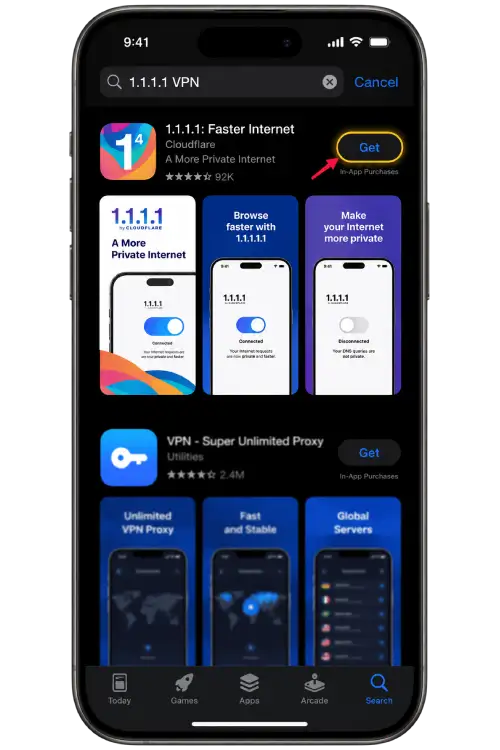
If you choose to enable the connection, iOS may request permission to add a VPN configuration. Approve it only if you recognize the application you installed.
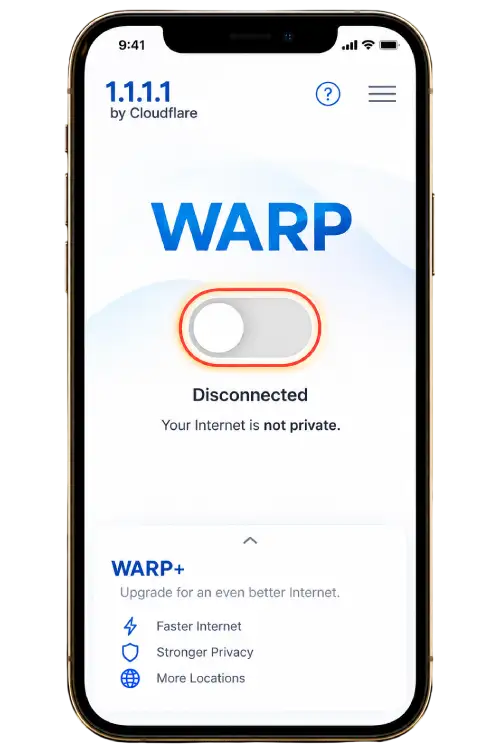
Wait for the application to show its connection status, then return to your browser and reload the page. If access becomes slower, disconnect and compare your normal connection.
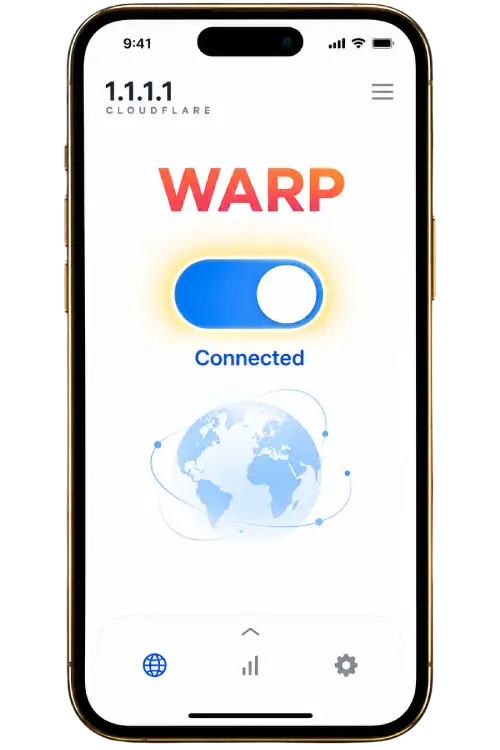
Open the provider website using the button below and follow its Google Play link where available. Check the developer and avoid unrelated download advertisements.
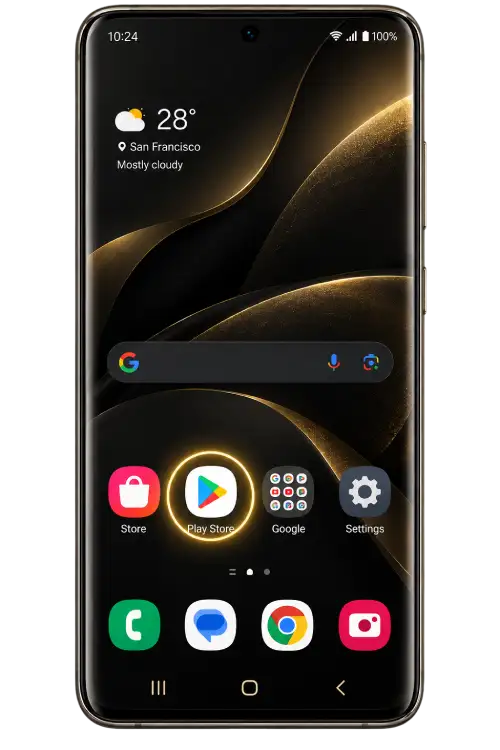
Launch the application and read the setup information. Check the connection mode and privacy settings rather than accepting options you do not understand.
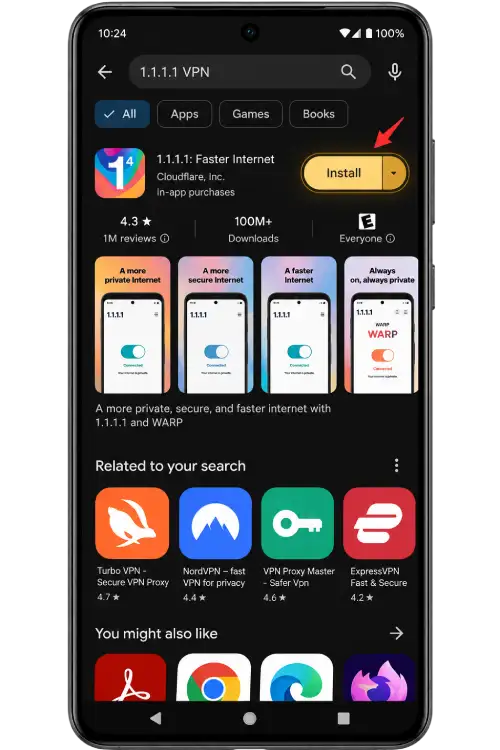
Android may display a system connection request. Confirm the application name and read the notice before allowing it to create a VPN connection.
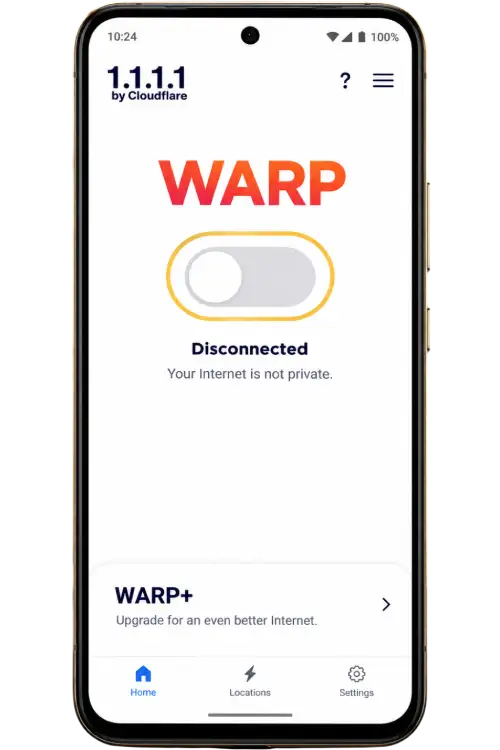
After the connection is established, return to your browser and refresh the page. If the result does not improve, disconnect and try another network or use the support guide.
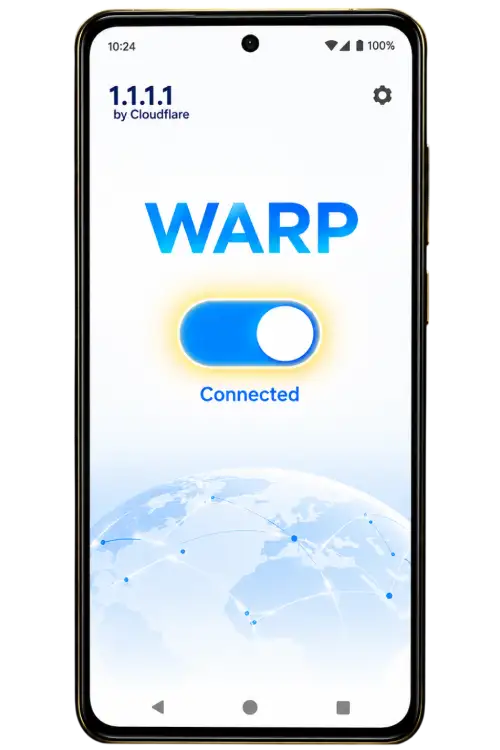
A connection application does not guarantee that a website will load. DNS-only settings and VPN modes work differently. Read the provider’s explanation, use services permitted on your network and disconnect if you no longer need the connection.