mayonjl.net organizes information around the
tasks visitors are trying to complete:
opening a listed destination, understanding
sign-in, preparing registration, reviewing
mobile installation or explaining a problem.
Each guide focuses on a particular task
so the next step is easier to identify.
The website separates general explanations
from actions performed by external services.
Reading a guide here does not create an
account, approve a registration or install
an application. Those actions take place
through the destination and remain subject
to its requirements.
This distinction helps set expectations.
A loading error calls for connection checks;
a rejected password calls for account
guidance. Choosing the relevant process
avoids making unnecessary changes while
trying to resolve a specific issue.
Browse by task
Information for different stages of access
Start with the guide that matches what
you are doing now.
The homepage groups listed route
destinations in a compact area.
When a route is available, its
hostname is shown beneath the label
so you can inspect where the link
is intended to lead.
After opening a route, check the
address in your browser again.
A redirect can change the final
destination. A familiar name, a
recognizable logo or an encrypted
connection does not alone establish
who operates a website.
Route numbers identify the cards.
They are not live speed scores,
reliability ratings or promises of
continuous availability. Compare one
destination at a time and record
the result if you are troubleshooting.
A destination that loads successfully
still has its own account conditions,
policies and service limitations.
Review those separately before entering
personal information or relying on
a particular feature.
Explanatory guides
The guides explain preparation,
common checks and ways to describe
a failure clearly. Their purpose is
to help visitors work through a
task in a useful order rather than
change several unrelated settings
at once.
Examples describe categories of
problems. They do not establish
that every destination uses the
same screens, verification methods
or account policies. Follow the
instructions actually displayed by
the service you are using.
Application interfaces and device
settings can differ by version.
A tutorial image is a visual aid,
not a guarantee that every control
will appear in the same position
on your phone.
If a guide and a destination appear
to disagree, pause and clarify the
difference. Do not disclose additional
information or broaden device permissions
merely to make your screen match
an illustration.
Use the website with a purpose
A practical way to move through the guides
Identify your immediate task
Decide whether you need an access address,
sign-in help, registration preparation or
installation guidance. A specific starting
point makes it easier to choose relevant
information and avoids unnecessary changes.
Check the destination or device context
Read the hostname before using an external
service. For mobile questions, identify the
operating system and whether you are using
a browser or installed application.
These details affect which instructions apply.
Follow one process at a time
Complete a small check, observe the result
and then decide what to do next.
Repeated submissions, overlapping verification
requests and simultaneous network changes
can make a simple issue harder to understand.
Prepare a clear enquiry if needed
Record the affected page, approximate time,
device information and exact error.
Explain checks already attempted and remove
private account information from screenshots
before contacting a listed recipient.
Mobile access without assumptions
A mobile browser and an installed app
are different access methods.
Browser access allows you to inspect
an address without installing software,
while an application introduces questions
about its source, compatibility,
permissions and updates.
The App guide explains those differences
and the checks to make before opening
an Android package. It does not
publish an independent audit, package
signature or guarantee about a linked
download.
Android APK files do not install on
iPhone or iPad. Visitors using those
devices should consider compatible
browser access or an iOS distribution
method actually provided by the relevant
destination.
Connection applications are another
separate category. Enabling a network
configuration does not install the
destination’s app, authenticate an account
or verify the service behind a page.
Review each decision on its own terms.
Credentials stay with the intended process
The explanatory pages on mayonjl.net
do not contain account sign-in or
registration forms. Enter credentials
only into an intended destination
after checking its address.
Do not submit them through a general
contact conversation.
Passwords, one-time codes and recovery
links can provide access to an
account. Treat them as secrets even
when someone claims to need them
to explain an error or complete
a setup step.
Screenshots can reveal more than
expected. Review them for visible
identifiers, message previews, recovery
links and private address parameters.
Crop the image to the relevant
problem before sending it.
These reminders are practical precautions,
not a claim that any external
destination is secure.
Evaluate the actual request and
stop if the recipient or purpose
remains uncertain.
Contact information and its scope
Contact channels appear when destinations
are listed. A missing channel means
this website currently provides no
link for it; visitors should not
guess a recipient from a similar
profile name or copied image.
External recipients determine their
availability, response process and
ability to help.
This website does not promise continuous
staffing, a particular response time
or an account outcome.
Enquiries about this website should
identify the affected mayonjl.net page,
wording or link.
Questions about an external account
should follow the destination service’s
own assistance and recovery process.
Before sending information, inspect
the final account name or address.
An unsolicited reply should not be
assumed to come from the recipient
you intended to reach.
Keep the enquiry focused on details
that can be shared safely.
Websites, application screens and
distribution methods can change.
Check the information currently displayed
by the destination rather than assuming
that an earlier screenshot describes
every future version.
A linked service may become unavailable,
introduce different requirements or
change its content.
A link on this website does not
establish control over that destination
or guarantee its future behavior.
If you find a broken link or an
explanation that does not match what
you see, report the relevant page
and the difference.
Include enough context to understand
the issue without exposing your account
information.
Reports can identify information that
needs review, but this website does
not promise a fixed review schedule.
If the uncertainty affects a sensitive
action, pause that action rather
than waiting for a general guide
to resolve an external service question.
Privacy and terms
The privacy policy describes this
website’s information-handling context.
It should be read separately from
the policies of external destinations,
which may request different information
or use different services.
The terms explain the scope of the
website’s information and links.
They do not replace conditions you
encounter when registering an account,
downloading software or contacting
another service.
Review the relevant policy before
sharing personal information.
If the purpose of a request is
unclear, ask for clarification through
an appropriately checked channel
before providing more.
mayonjl.net is a website that brings together listed access destinations and explanatory guides about sign-in, registration, mobile installation and support preparation.
Does this website create or manage external accounts?
No. Account creation, sign-in, verification, restrictions and recovery are handled by the destination service. The guides explain general checks and do not provide access to external account records.
Are access routes tested for speed?
The route cards do not display live performance measurements. Their order is for presentation, and availability can differ by destination, network, device and time.
Does listing a download certify the package?
No. A listed destination does not constitute a software audit or a guarantee about a file. Review the source, developer information, device requirements and security warnings before installing.
Why do the guides include security reminders?
Checking a destination, protecting credentials and understanding permissions are part of completing access tasks carefully. These reminders explain practical checks without claiming that any external service is risk-free.
How can I report incorrect information?
Use a contact channel currently listed and identify the affected page, the wording or link in question and what you observed. Remove personal account information from any supporting screenshot.
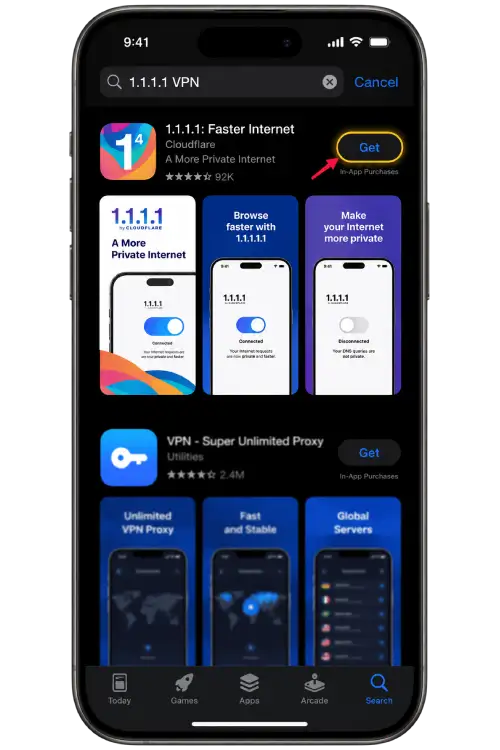
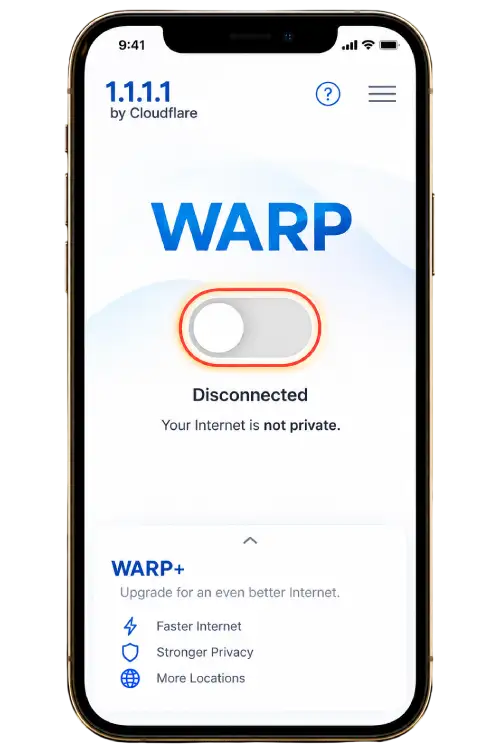
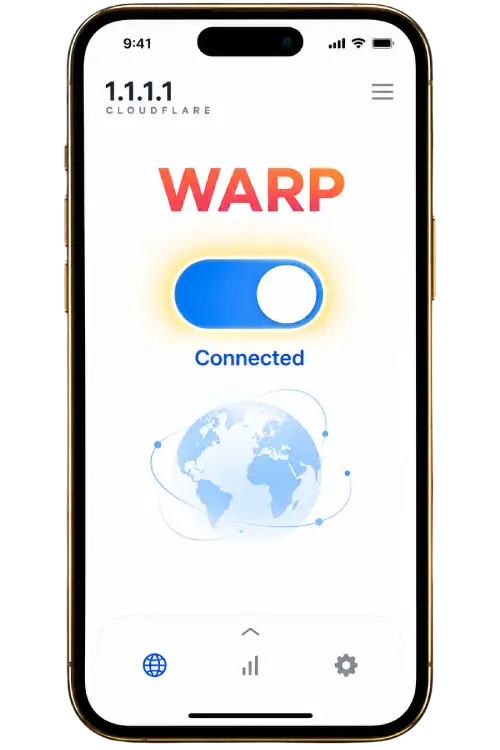
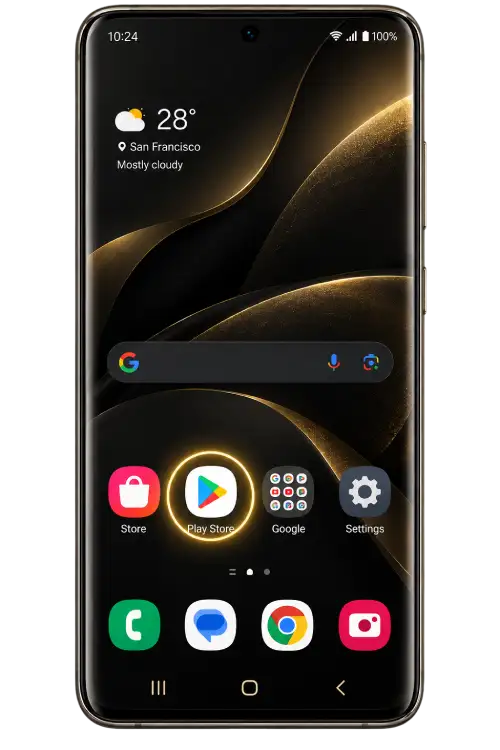
Choose your device to view the illustrated steps.
Application screens and permission wording may
vary by version.
1
Find the application
Open the provider website using the button below and follow its App Store link. Check the application name and developer before installing.
2
Review the setup
Open the application and read its introductory screens and privacy information. Review the available connection modes before continuing.
3
Allow the configuration
If you choose to enable the connection, iOS may request permission to add a VPN configuration. Approve it only if you recognize the application you installed.
4
Reconnect and check
Wait for the application to show its connection status, then return to your browser and reload the page. If access becomes slower, disconnect and compare your normal connection.
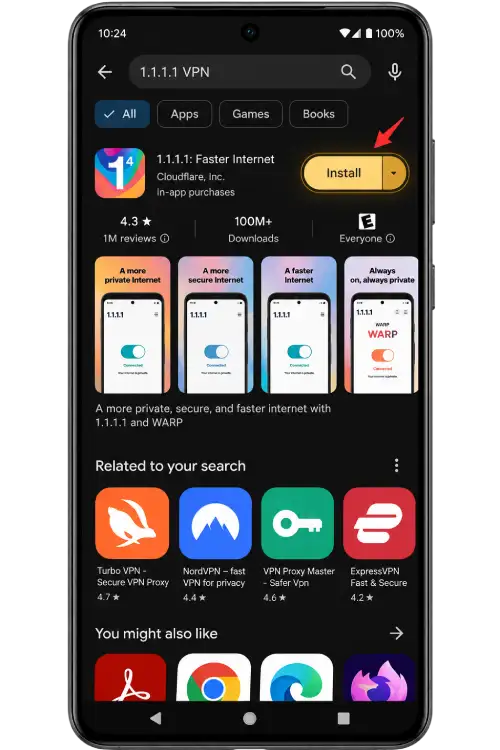
1
Find the application
Open the provider website using the button below and follow its Google Play link where available. Check the developer and avoid unrelated download advertisements.
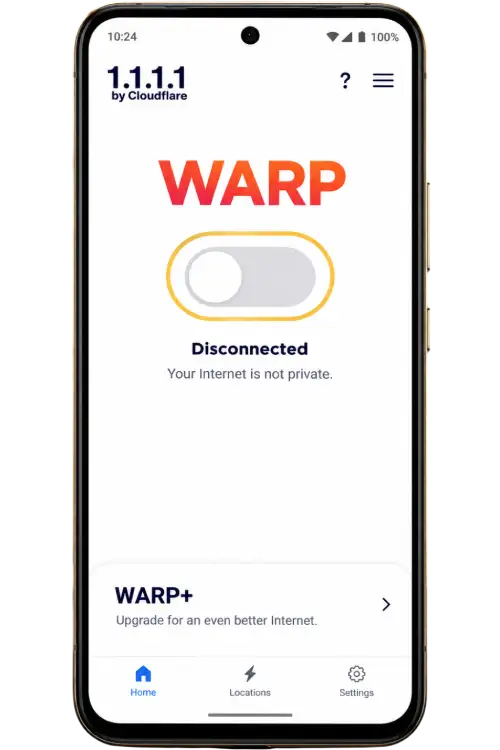
2
Review the options
Launch the application and read the setup information. Check the connection mode and privacy settings rather than accepting options you do not understand.
3
Review the permission
Android may display a system connection request. Confirm the application name and read the notice before allowing it to create a VPN connection.
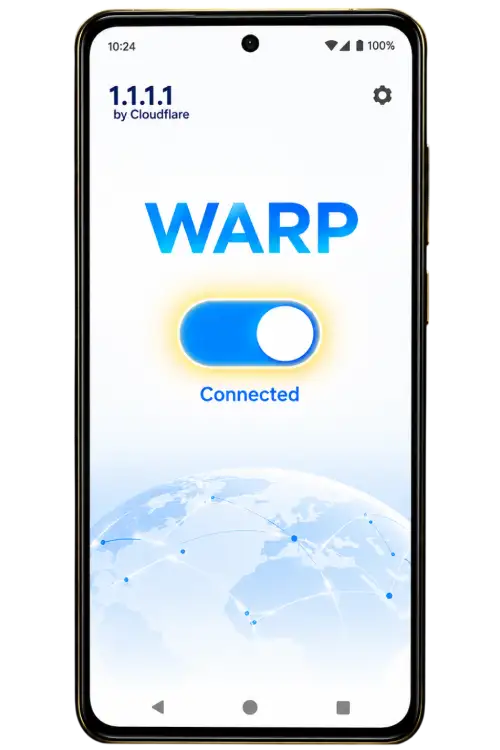
4
Check website access
After the connection is established, return to your browser and refresh the page. If the result does not improve, disconnect and try another network or use the support guide.
Before you connect
A connection application does not guarantee that
a website will load. DNS-only settings and VPN
modes work differently. Read the provider’s
explanation, use services permitted on your
network and disconnect if you no longer need
the connection.